
For nonprofits on Zeffy, Givebutter and Donorbox
All your gifts in one Google Sheet, kept up to date
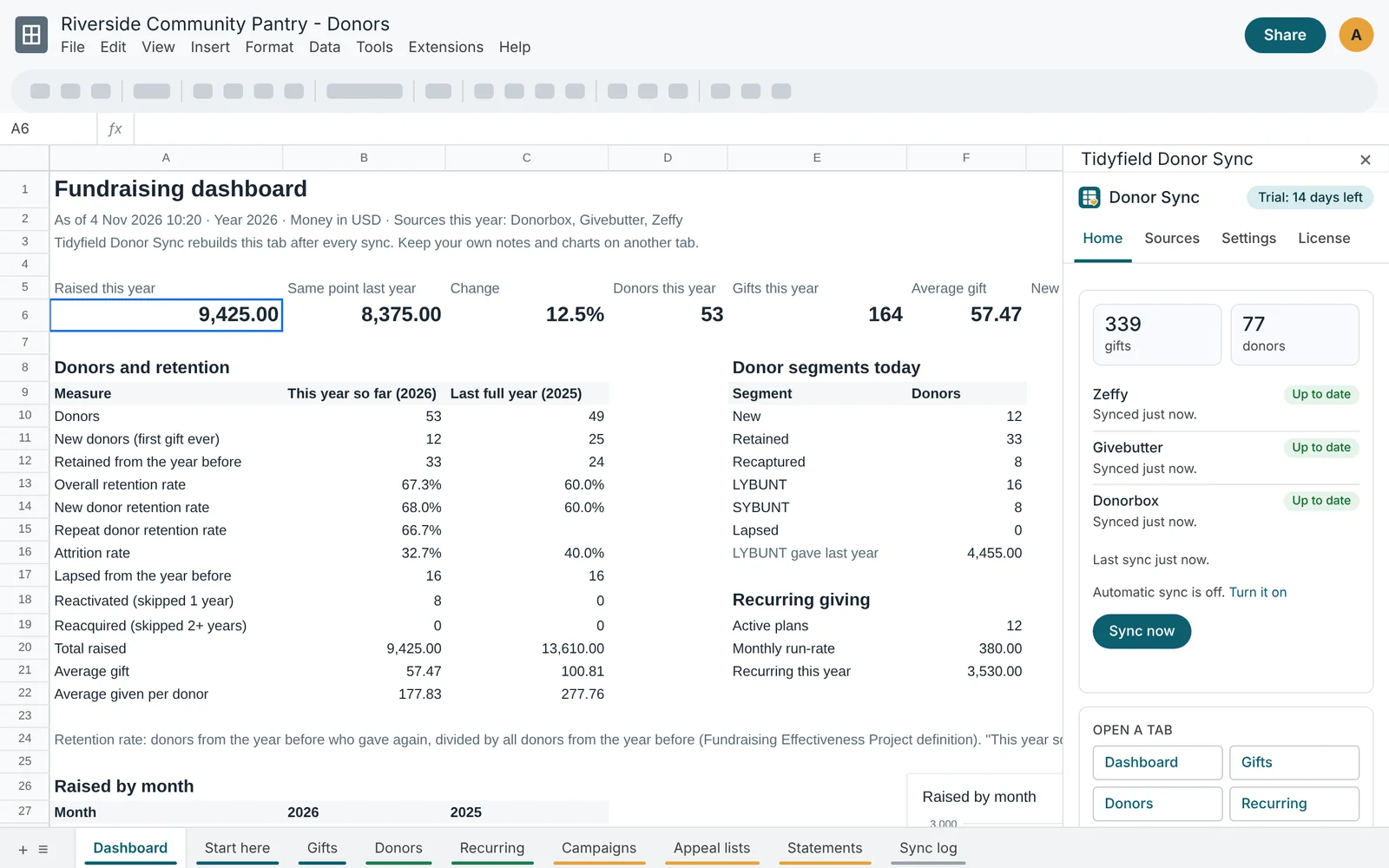
Tidyfield Donor Sync copies every gift from Zeffy, Givebutter and Donorbox into your spreadsheet, merges each donor across platforms, and builds the retention and LYBUNT reports your board asks for.
No card for the trial. Works with any Google account. Then $10 a month or $99 a year per organization.
What you get
One spreadsheet instead of three exports
Every gift, every platform
Payments from Zeffy, transactions from Givebutter and donations from Donorbox land in one Gifts tab. Gifts from PayPal, Stripe or a bank come in with a CSV import.
One row per donor
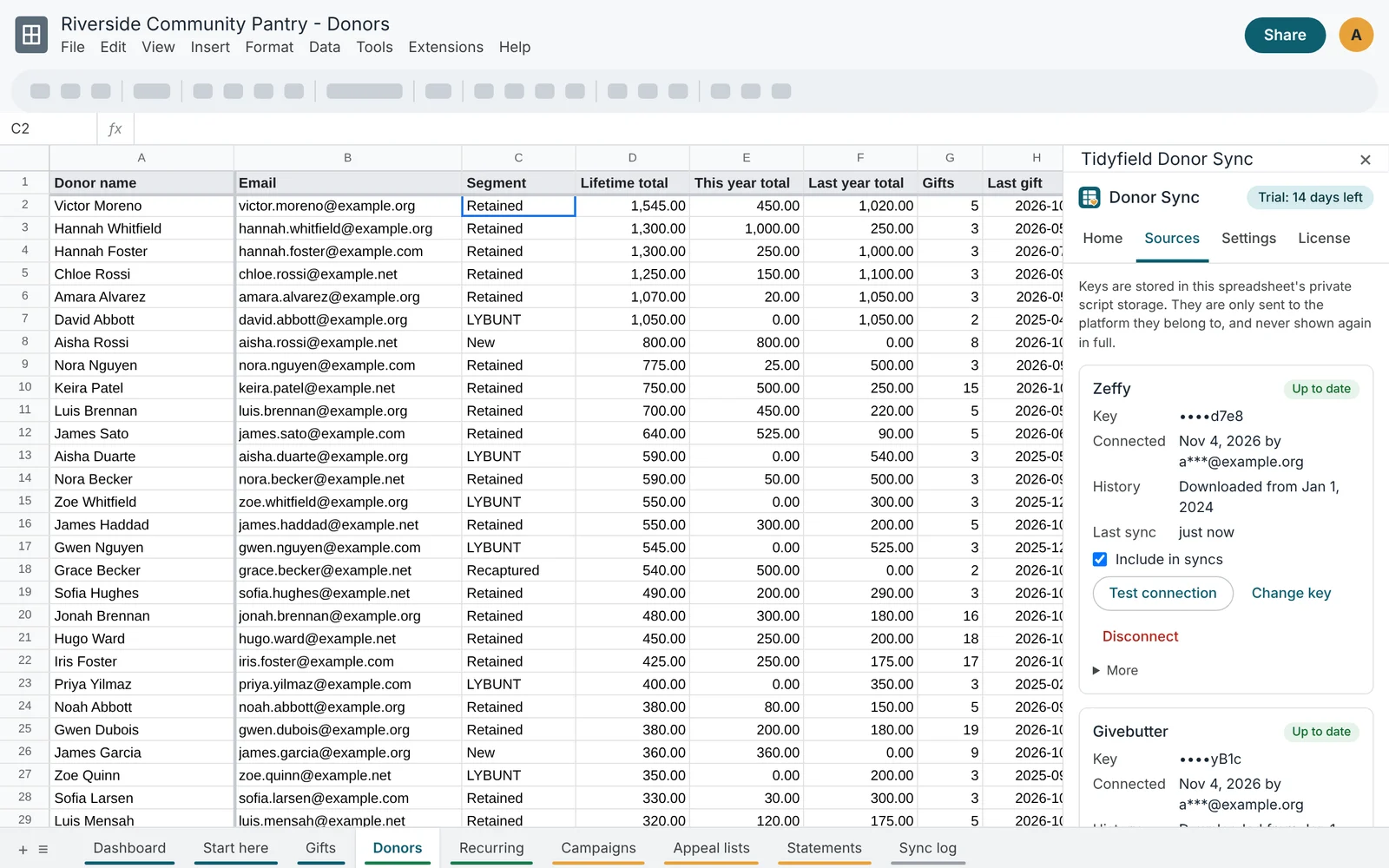
Donors are matched by email, then by name and postal code, so someone who gave on two platforms is one person with one lifetime total.
Retention you can trust
Overall, new and repeat donor retention and attrition, worked out the way the Fundraising Effectiveness Project defines them, for calendar or fiscal years.
LYBUNT and SYBUNT lists
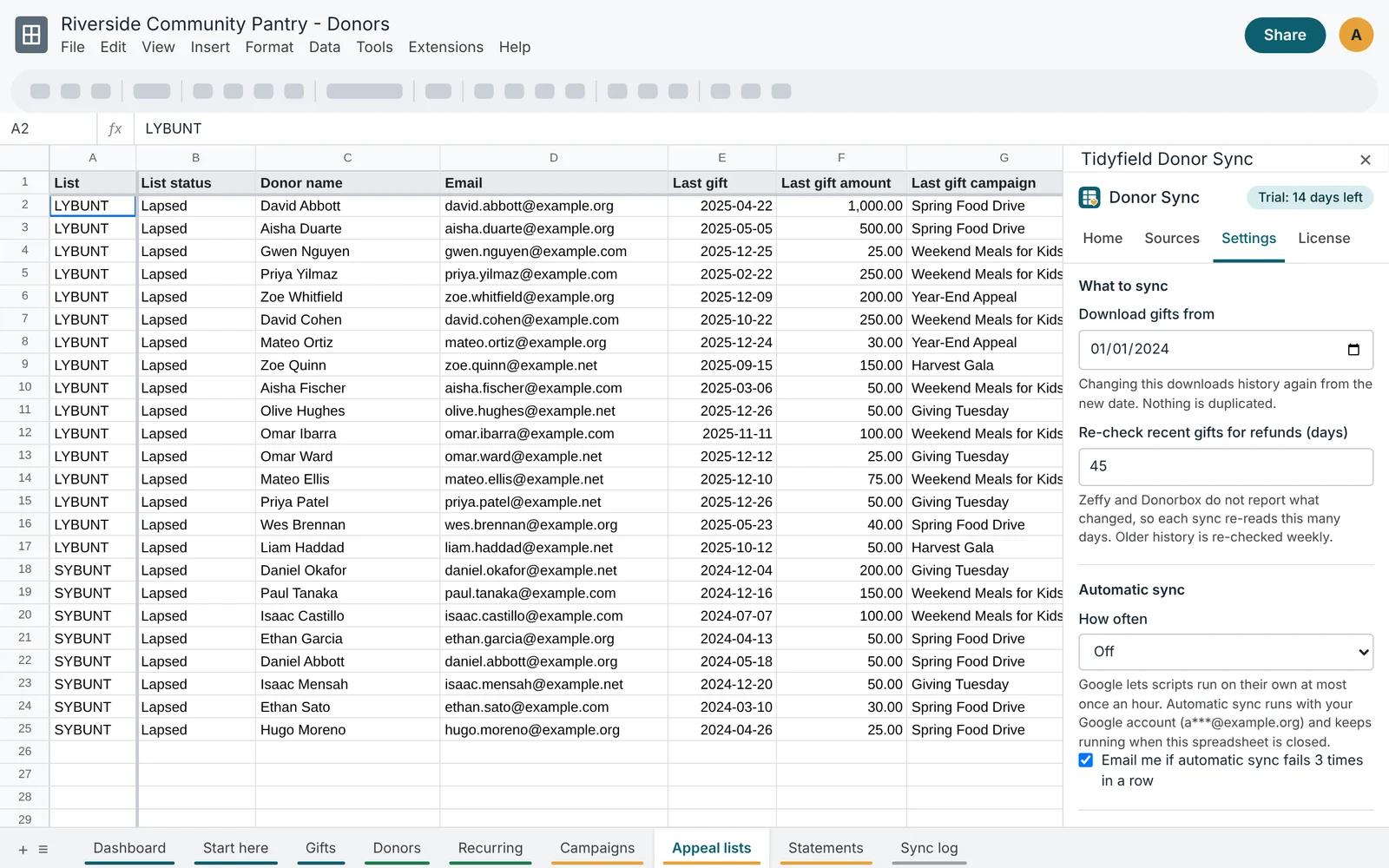
Donors who gave last year but not yet this year, and those who gave before that, ready for your next appeal or mail merge.
Recurring and campaigns
Active monthly donors, your monthly run-rate, and totals for every campaign and form, next to the platform's own figures.
Year-end statements
One row per donor per year with the total, the tax-deductible amount and a list of every gift, ready for a giving statement.
How it works
Three steps, about ten minutes
Make your copy
Click Get your copy. Google makes a copy of the Tidyfield Donor Sync spreadsheet in your Drive, script included.
Connect your platforms
Open Extensions > Tidyfield Donor Sync > Open sidebar, allow the script, and paste an API key from Zeffy, Givebutter or Donorbox.
Sync
Click Sync now. Your history downloads and the reports build. Turn on automatic sync to keep it current every hour, every 6 hours or once a day.
Donors
Know who gave, how much, and who is slipping away
- Lifetime, this year and last year totals for every donor
- Segments: new, retained, recaptured, LYBUNT, SYBUNT, lapsed
- Possible duplicates flagged when two donors share a name
- Add your own columns and notes: syncs never overwrite them
Appeals
Your LYBUNT list, ready before the year-end appeal
The Appeal lists tab keeps everyone who gave last year but not yet this year, and everyone who gave in an earlier year, with their last gift, the campaign it went to and their address for mail merge. When someone gives again, they drop off the list on the next sync.
Any other platform
Import a CSV from PayPal, Stripe or your bank
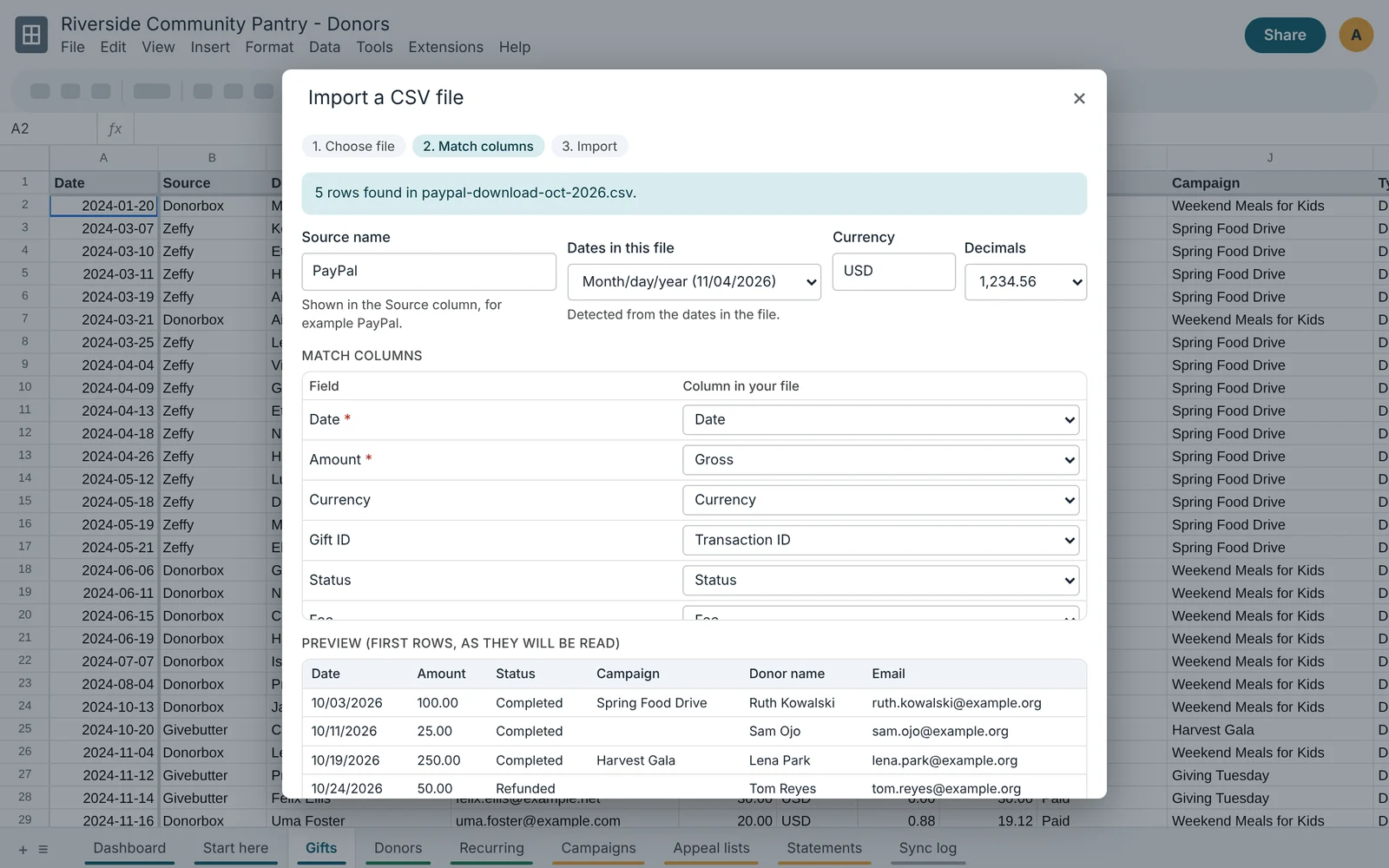
Pick the file, check the columns Donor Sync suggests, and import. Dates and decimal commas are detected, your column choices are remembered for the next file, and importing the same file twice never duplicates a gift.
Privacy
Your donor data never reaches us
Your copy of the spreadsheet runs its own script in your Google account. It talks straight to the platforms you connect and writes into your sheet. Tidyfield has no server in between and never sees your donors' names, emails or gifts.
You can read every line of the code under Extensions > Apps Script. Privacy policy
An honest note
Google shows a warning the first time
Because your copy of the script belongs to you and is not a Google Marketplace app, Google shows "Google hasn't verified this app" when you first allow it. That is expected. Click Advanced, then Go to Tidyfield Donor Sync, review what it asks for, and allow it.
Simple pricing
$10 a month or $99 a year per organization, after a 14-day free trial in your copy. One license covers up to 3 spreadsheets. Cancel any time; your data stays yours.